
Runtime Data
Blackboard & Typed Values
Give graph data an explicit owner, scope, key, and type.
- Audience
- All developers
- Time
- 10 minutes
- Requires
- A FlowCoreProcess and a data-driven graph field
- Modules
- Flow Core
On this page
Use a Blackboard when a value should be named, typed, inspectable, and available beyond one event call. The important decision is not only the key name; it is the complete path: scope, Blackboard index, key, and value type.
Choose an owner
| Scope | Use for | Example |
|---|---|---|
| Local | Data owned by one process or object | Current target, movement speed, interaction prompt |
| Scene | Data intentionally shared within a scene | Encounter phase, scene objective, shared spawn count |
| Global | Data intentionally shared across broader application flow | Selected profile, global difficulty, cross-scene mode |
Choose the smallest scope that matches ownership. Global data is not a shortcut for uncertain ownership.
Create a typed path
- Open the Blackboard’s Edit view.
- Choose the required value type for an entry, such as
Boolean(bool),Int32(int),Single(float),String,Vector3, or a supported reference type. - Create a stable key.
- Bind the Blackboard to the process when using Local data.
- Configure the graph field with the same scope, index, key, and type.
- Set Debug Context and confirm the summary resolves.
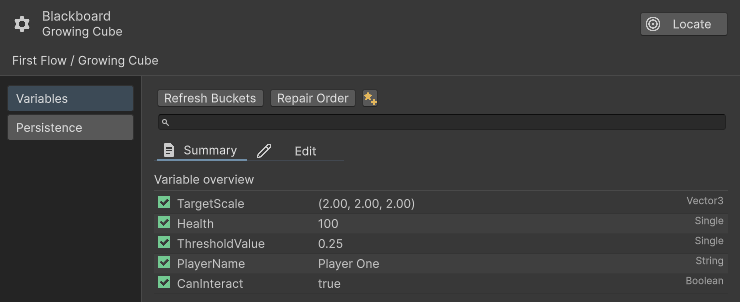
The Summary view lists each key, value, and type. TargetScale is a Vector3 entry with value (2, 2, 2).
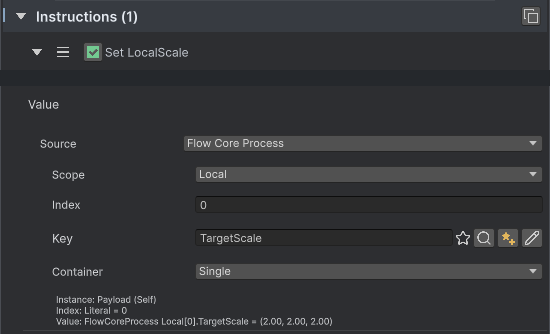
The Set LocalScale heading and Value fields are shown separately. Source Flow Core Process, Local scope, Index 0, and Key TargetScale resolve the Vector3 entry.
Select the right data channel
Blackboard is one of several explicit sources:
- Use a literal for a value that belongs to this one authored field.
- Use Blackboard for reusable configuration or state.
- Use
payloadfor data supplied by the Trigger or Entry that started the chain. - Use
TempPayloadfor writable scratch data produced and consumed within one chain. - Use supported context or target resolvers for values derived from the current execution context.
Do not copy every payload into Blackboard automatically. Persist only values that need ownership beyond the event.
Behavior contract
Typed access helps Flow Core avoid ambiguous conversions and hot-path boxing. A key that exists under another type does not satisfy the requested typed path. Local Blackboard order also matters when a graph selects an index.
When changing Blackboard lists at runtime, batch changes and rebuild bindings once. Avoid reordering lists while active chains still depend on previous indices.
Common misunderstandings
- A key name alone is not a complete binding.
- Scene scope does not mean the value automatically survives a scene change.
- Global scope should still have explicit ownership and reset policy.
payloadis not writable shared storage.TempPayloadis cleared with the chain and should not hold cross-chain state.
Custom Blackboard types and Enums
Flow Core 6.0 automatically binds supported custom types and their required serializers, resolvers, and Drawers during compilation. Automatic registration does not implement a serializer or define its persistence contract for you. Share the implementation group, preserve stable type/wire identities, and verify scalar and List save/load paths in the actual Player.
Choose whether unused registration support is prepared in advance through Automatic Registration & Prewarm. This preparation does not create Blackboard gameplay values or load all project resources.
Continue to persistence
When typed values must survive beyond the current scene state or play session, continue with the supported Flow Core save channel.
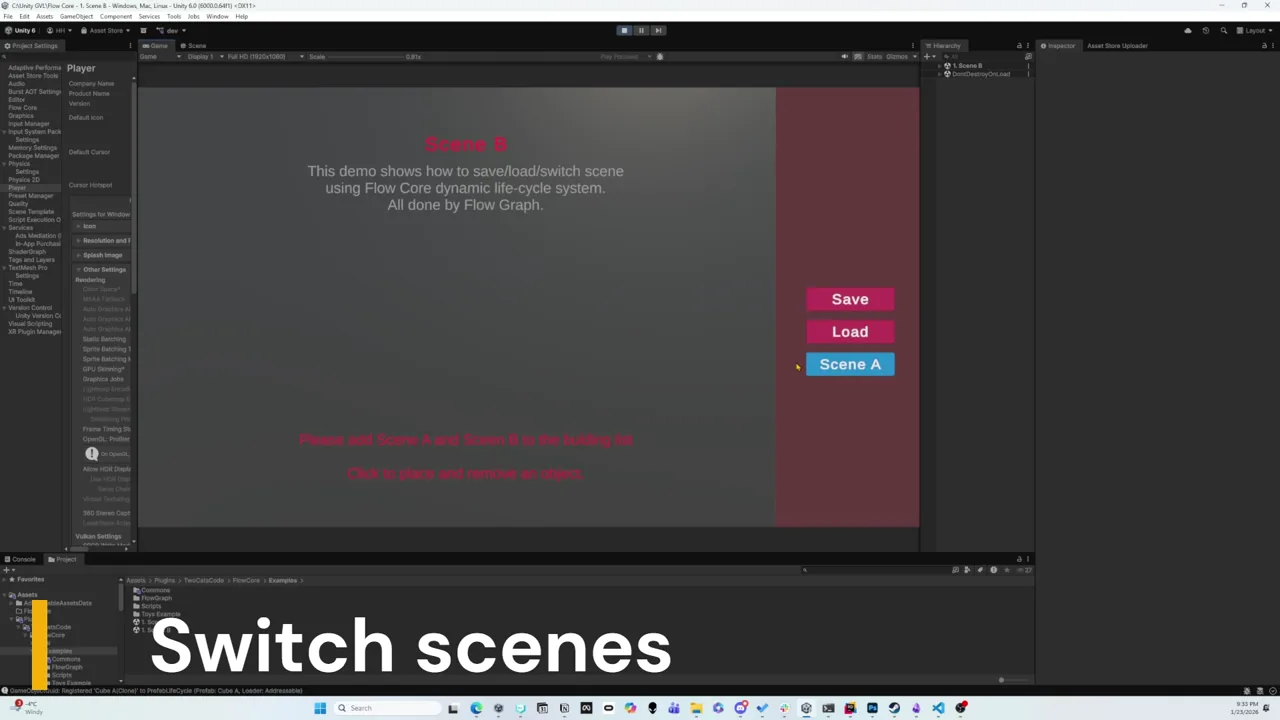 Video · 2:18Flow Core Save and Load OverviewPreview the runtime persistence loop before configuring the written workflow.