
Flow Character
States, Gestures & Markers
Separate sustained animation identity, bounded actions, and animation-timed gameplay events.
- Audience
- Animation and gameplay developers
- Time
- 15 minutes
- Requires
- A configured Flow Character and animation clips
- Modules
- Flow Character
On this page
Flow Character separates animation into three responsibilities. A State is sustained identity, a Gesture is a bounded action, and a Marker is a semantic event at an authored animation moment.
Choose the correct owner
| Concept | Use for | Examples |
|---|---|---|
| State | Ongoing animation identity or mode | Locomotion, stance, swimming, aiming pose |
| Gesture | Temporary action that can enter, play, and exit | Attack, pickup, reload, cast, emote |
| Marker | Gameplay timing tied to clip progress | Foot contact, hit frame, grab, release, landing |
Do not replace a Marker with a generic Wait when animation speed, blending, or clip selection can change. The Marker remains attached to the authored animation moment.
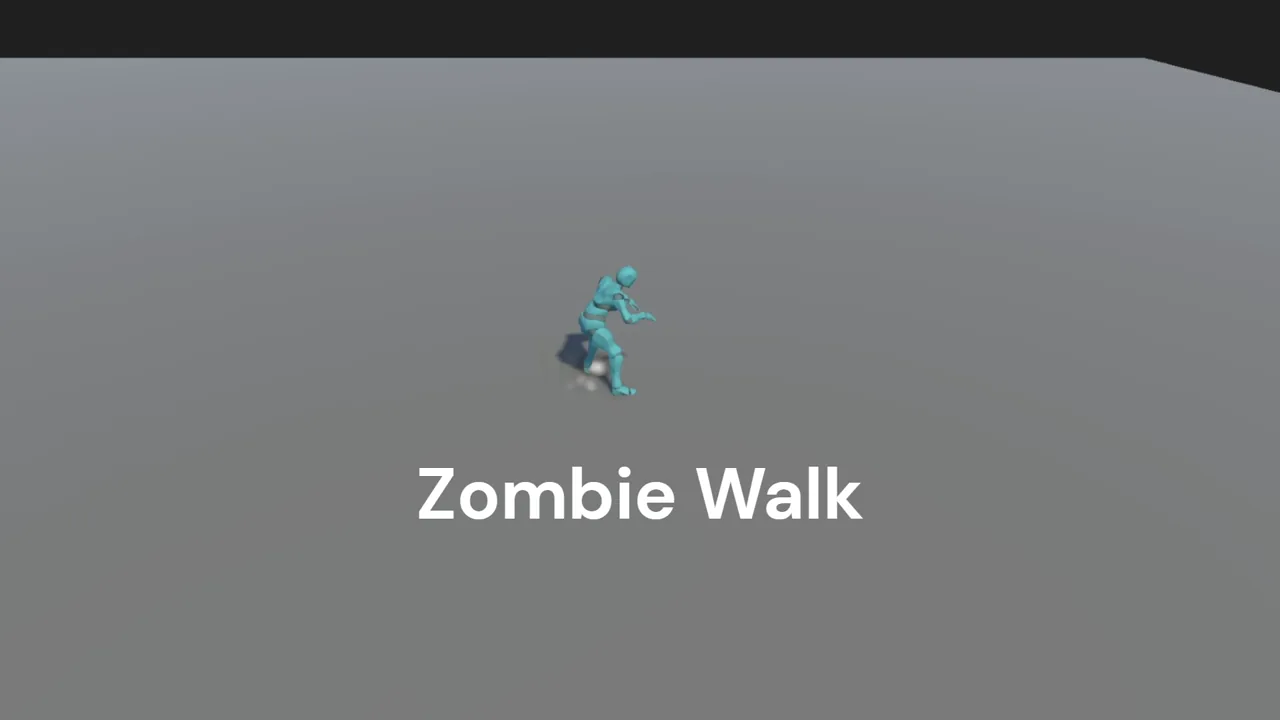 Video · 0:51Zombie Walk StateWatch a sustained locomotion State drive a visible character result.
Author a Gesture
- Create
Flow Core > Character > Gesture. - Choose Open Full Configuration > Main. Assign a Tag when several Gestures belong to one conflict group.
- Set Priority and the intended conflict behavior.
- Apply an AvatarMask when the action should affect only part of the body.
- Open Segments and configure Entry, Main, and Exit clips as needed.
- Open Motor for overrides only where the action truly owns movement behavior.
- Play it from a graph with
Character Play Gesture.
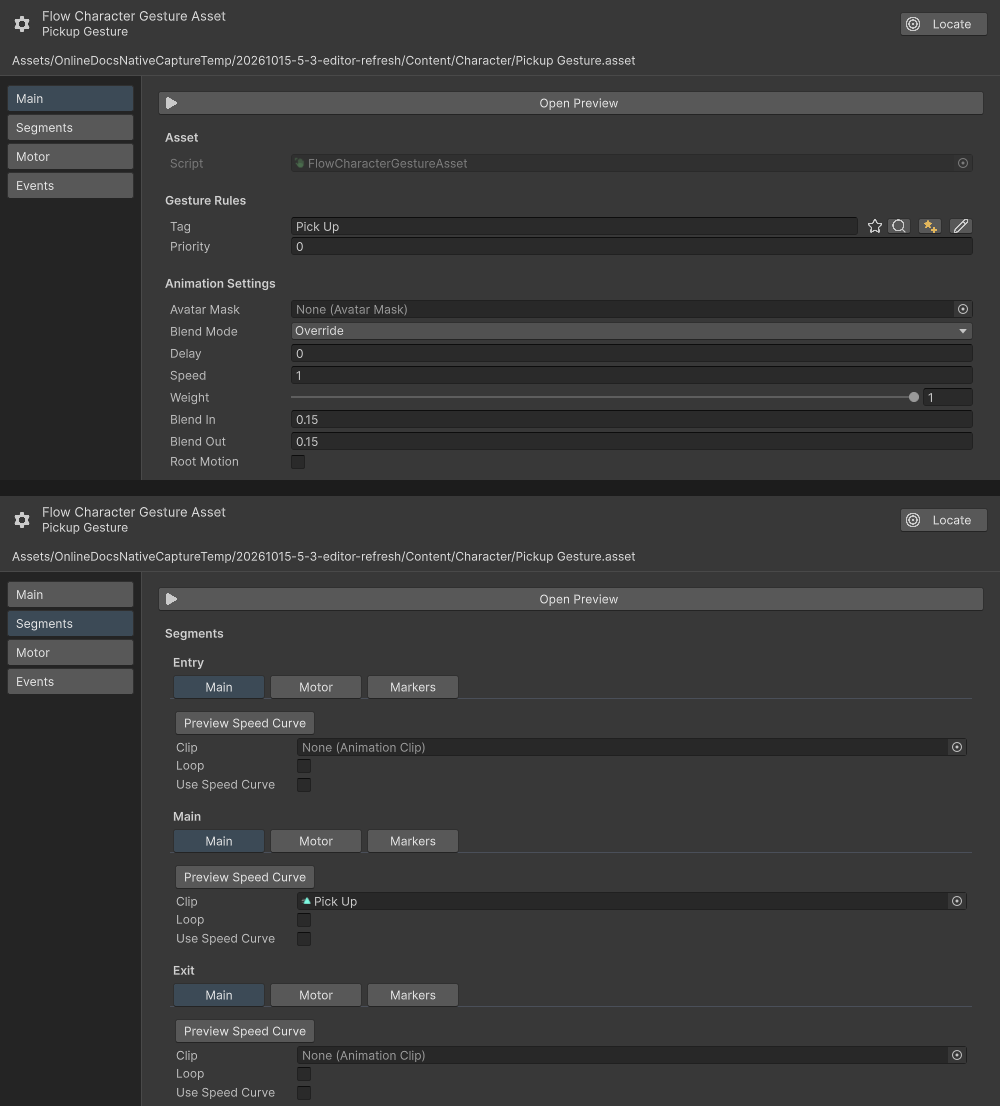
Open Full Configuration shows Main above Segments. Pickup Gesture uses the Pick Up Tag, Priority 0, and no Avatar Mask; its Main clip is Pick Up, with no Entry or Exit clip.
Add a Marker
- Open the State or Gesture clip track that owns the event.
- Add a Marker at the required normalized time.
- Choose a semantic limb such as
LeftFootorRightHand, or setLimbtoCustomand assign anIdsuch ashit,pickup, orrelease. - Configure cooldown behavior when repeated crossings must be filtered.
- Add a Character Animation Marker Trigger to the relevant event graph and match its Marker limb and, for Custom, its Id.
- Connect the gameplay Instructions that should run.
Limb routes and Custom Id routes are alternatives. A RightHand route matches the limb; a Custom route matches its Id.
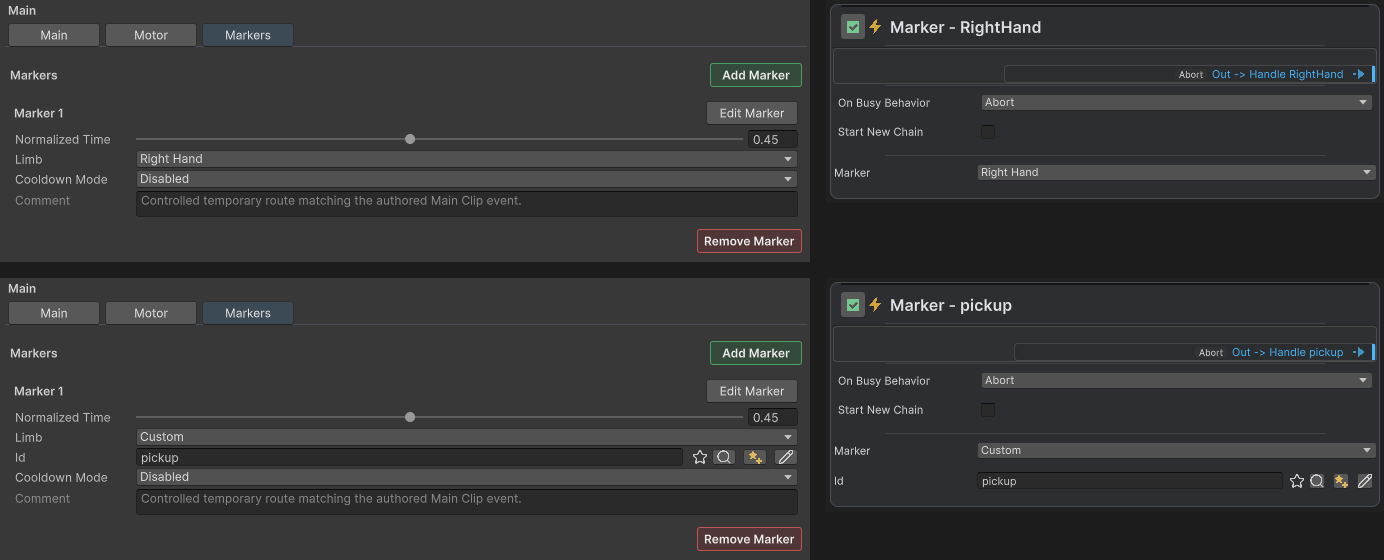
Each row pairs a Main track Marker with its dedicated Trigger: Right Hand above, Custom with Id pickup below. Both use Normalized Time 0.45; only Custom exposes Id.
Coordinate with gameplay
For an attack, normal Flow can start the Gesture, the Marker can identify the hit frame, and Flow Stats can apply damage. The Gesture owns animation, the Marker owns timing, and Stats owns the numeric result.
Common mistakes
- Using a Gesture for locomotion that should persist as a State.
- Giving conflicting Gestures identical ownership without a Tag, mask, or priority rule.
- Applying a whole-Gesture motor override when only one clip segment owns the rule.
- Filtering a Marker with the wrong limb or custom ID.
- Evaluating Marker Conditions outside the character animation event context.