
Flow Stats
Capture and Restore Flow Stats
Capture mutable runtime state, change it, and restore one coherent in-memory snapshot.
- Audience
- Gameplay designers and developers
- Time
- 10 minutes
- Requires
- Flow Core installed with the 7. Stats example
- Modules
- Flow Stats
On this page
Goal
Use the supplied 7. Stats controls to capture mutable runtime state, make several changes, and restore the captured result. No scene or asset edits are required.
Prerequisites
- Import the Flow Core examples.
- Open the supplied
7. Statsscene. - Keep the Stats controls and live values visible in the Game view.
This walkthrough demonstrates an in-memory FlowStatsSnapshot. It is not a disk save and does not survive leaving Play Mode.
What You Will Build
| Value | Captured | After mutation | Restored |
|---|---|---|---|
| Health Current | 60 | 40 | 60 |
| Strength Base | 10 | 12 | 10 |
| Attack Power Effective | 25 | 29 | 25 |
Attack Power is calculated as Strength × 2 + Weapon Power, where Weapon Power is 5. A Snapshot stores every Stat’s mutable Base, including Attack Power’s own Base. It does not store Formula Contribution, Raw, or Effective; Restore returns Strength Base to 10 and recalculates Attack Power Effective as 25.
Steps
1. Capture the starting state
- Open the scene named
7. Stats. - Enter Play Mode.
- Confirm Health is
60 / 100, Strength is10, and Attack Power is25. - Select
Capture Snapshot. - Confirm the status line reads
Last Event: Snapshot captured.
2. Mutate several values
- Select
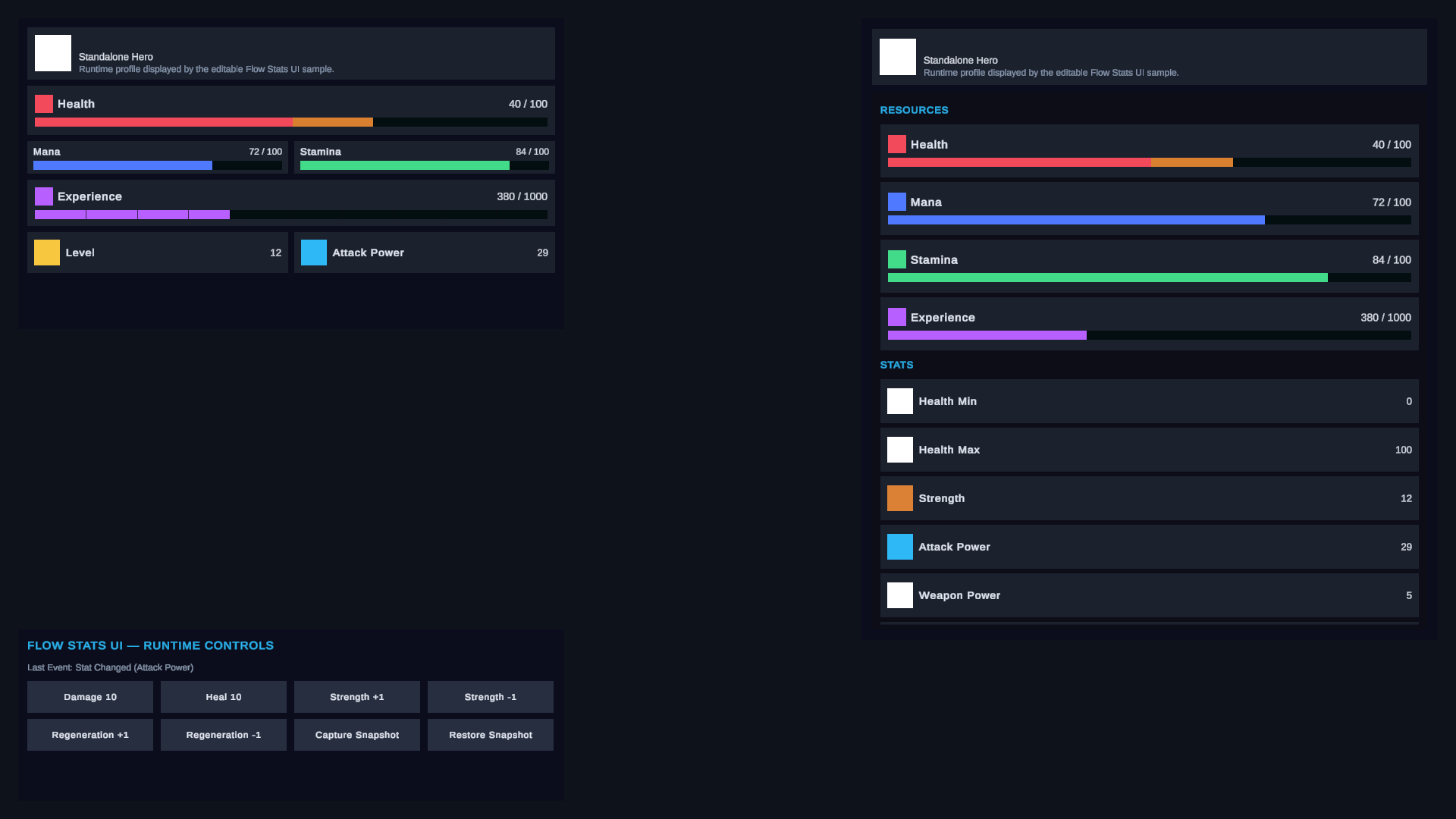
Damage 10twice. Health becomes40 / 100. - Select
Strength +1twice. Strength becomes12. - Confirm Attack Power recalculates to
29.
These changes belong to the initialized Flow Stats owner. The shared Profile and definition assets remain unchanged.
3. Restore the snapshot
Select Restore Snapshot once.
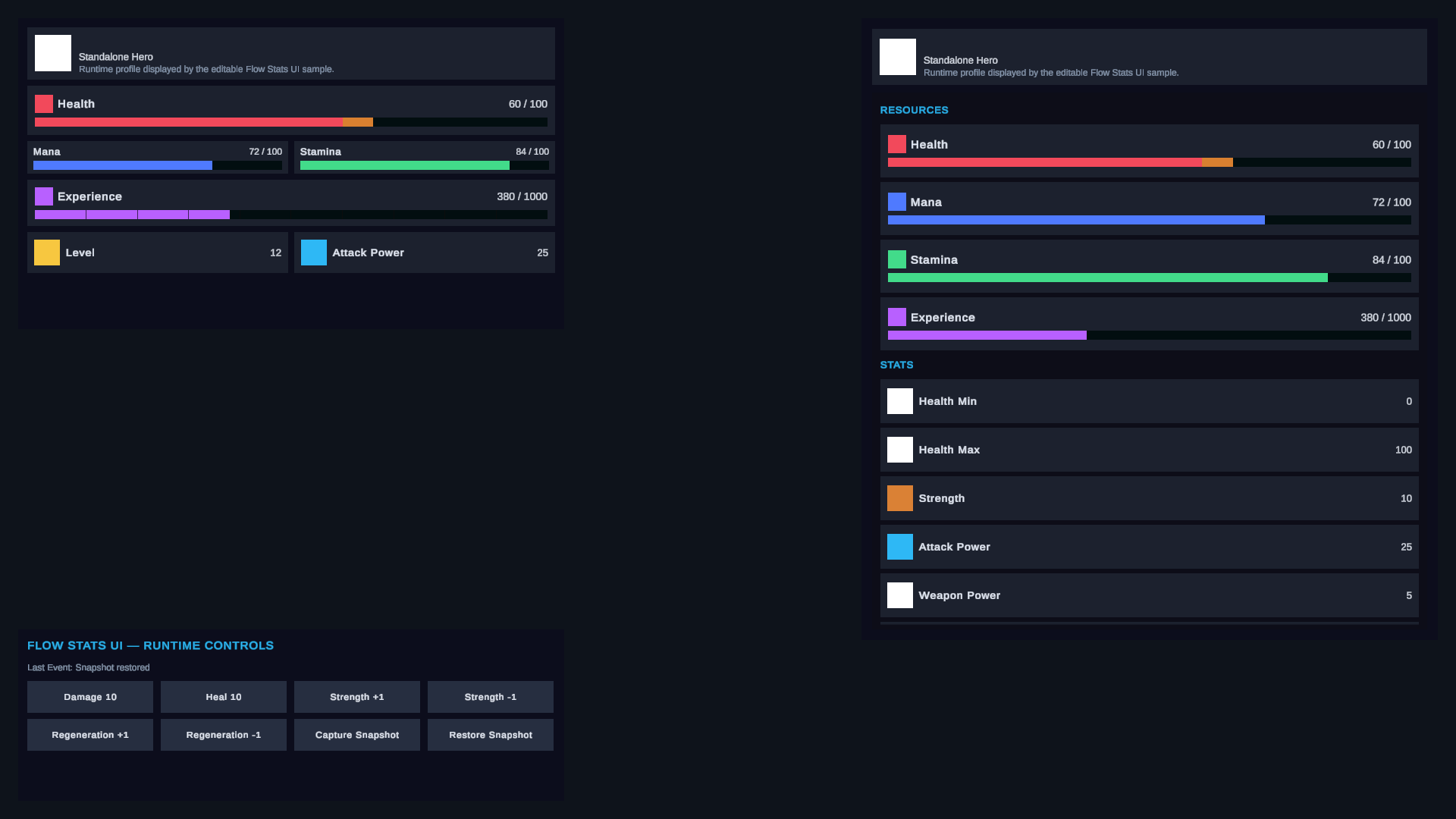
The sample calls TryRestoreSnapshot and then reports Last Event: Snapshot restored. Health returns to 60, Strength Base returns to 10, and recalculation returns Attack Power to 25.
Verify the Result
What a Default Snapshot Means
A default capture can include:
- instance
Display Name; - mutable Stat Base values;
- Resource Current values;
- active Status Effects whose
Persistfield is enabled, including their stack and timing state.
Formula contributions, Raw and Effective values, modifiers, normalized values, and Resource boundaries are recalculated or retained by the receiving runtime rather than treated as separately authored save values.
Boundaries to Keep Explicit
- Restore requires an initialized runtime when Stat, Resource, or Effect state is included.
- The receiving
Flow Statsmust use the matching Profile Stable ID. - Resource Current is clamped to the receiving runtime’s cached bounds.
- Effects with
Persistdisabled are intentionally absent. - The example controller stores its snapshot only in memory. Use the optional persistence integration when data must cross sessions.
Common Mistakes
| Symptom | Check |
|---|---|
Restore Snapshot does nothing | Capture first and remain in the same Play Mode session. |
| Restore reports a Profile mismatch | Restore into a runtime using the same logical Profile identity. |
| A derived Stat looks stale | Confirm the Formula dependencies are valid; derived values are recalculated after restore. |
| A Resource restores at a boundary | The receiving runtime clamps Current against its cached Minimum and Maximum. |
| An Effect is missing | Enable Persist on Effects that belong in snapshots before they are applied. |
| The snapshot disappears after Play Mode | The sample holds an in-memory object, not a serialized save file. |
What You Built
You completed a capture–mutate–restore loop and verified that one snapshot restores coherent mutable Stats state while calculated values are recomputed.