

Flow Core
Build Gameplay Logic You Can See

Made with Flow Core
BLASTFALL
A Unity browser game that brings Flow Core event flows, custom C# components, and shared Blackboard settings together. See how charging, firing, and round progression connect in its development workflow.
Who this guide is for
Built for developers who already know the Unity Editor and want a practical path into Flow Core without needing prior Flow Core or C# experience.
Start with an outcome
Run something that already works, create one visible result, then move into the capability your project needs.
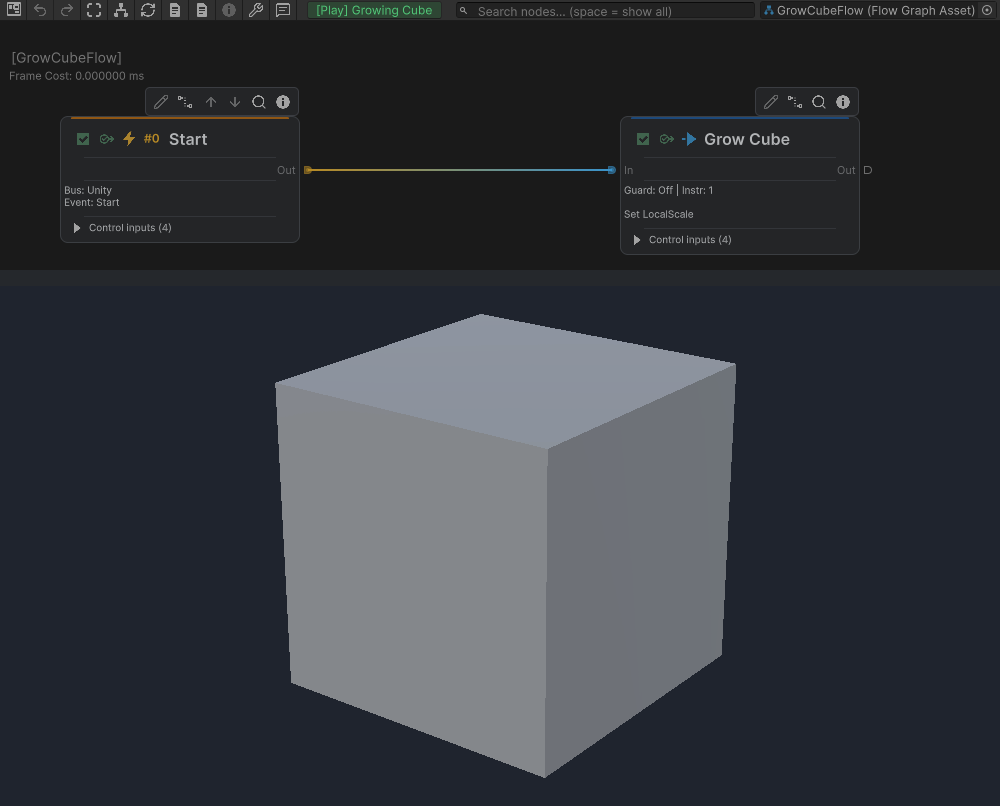
Start runs Set LocalScale using TargetScale; the Game view shows the enlarged cube.
One foundation, several systems
Flow Core separates authored behavior from runtime ownership. A Flow Graph stores the logic you can see. A FlowCoreProcess runs an instance of that graph on a scene object. Blackboards provide typed data, while Triggers and Entries decide when execution starts.
The same foundation supports event flows, FSM states, Behavior Trees, Stacks, GOAP planning, characters, animation, cameras, interactions, stats, effects, and C# integrations. Begin with one visible result, then follow the capability that matches your project.
Asset Store examples and the Online Demo
The Asset Store package includes the Flow Character module, but excludes Character-related demo scenes and their associated third-party assets because of licensing and source redistribution restrictions. Use your own appropriately licensed character models and animation clips when following the Character workflows in Unity.
Play the Online Demo to experience the complete example collection, including the Character and Zombie Walk demonstrations.
Understand what runs
Use Flow Core in Five Concepts for the complete mental model, or go to Debugging Running Graphs when an authored result does not behave as expected.
Use automatic registration in 6.0
Import supported extensions without maintaining central lists, then choose how to prepare them before gameplay. Start with Automatic Registration & Prewarm, review the Ver 6.0 upgrade notes, or investigate Slow Play Mode Entry.
Author with the current editor
Read the route in the Graph Editor, then edit the selected or pinned node in the Flow Inspector. Single Focus keeps the current entry visible with its required ancestors; Continuous supports comparison across several entries. Use More to find the complete entry commands and Field Information & Flow Knowledge to understand the configuration.
The Ver 5.3 history describes these editor workflows. Use Ver 6.0 for current registration and migration guidance.