
Build a Working Result
Install & Verify
Confirm that Flow Core is imported, compiled, and ready to author graphs.
- Audience
- All developers
- Time
- 5 minutes
- Requires
- Unity Editor and a Flow Core license
- Modules
- Flow Core
On this page
This workflow confirms that Flow Core is present in your Unity project and that its editor and runtime assemblies compiled successfully. Complete it before opening an example or creating a graph.
Import Flow Core
Import the Flow Core package supplied with your license into the Unity project where you intend to use it. Allow Unity to finish importing assets and compiling scripts before interacting with Flow Core menus.
If Unity reports compilation errors from unrelated project code, resolve those errors first. Unity cannot load editor tools reliably while the project is in a failed compilation state.
Know which examples are included
The Asset Store package includes the distributable Flow, scene, GOAP, and Stats UI examples. Character-related demo scenes and their associated third-party models, animation clips, and audio are excluded because of licensing and source redistribution restrictions. Their absence does not mean the import failed: the Flow Character module itself is included.
Play the Online Demo to experience the complete example collection, including the Character demonstrations. To build a character in your own Unity project, follow Character Control with Flow Character using your own appropriately licensed models and animation clips.
Confirm the editor surface
Run these checks in order:
- Open
Tools > Flow Core > Opening Screen. - Confirm that
Tools > Flow Core > Flow Graph Editoropens an editor window. - In the Project window, open
Create > Flow Coreand confirm thatFlow Graphis available. - Open
Window > General > Consoleand confirm there are no Flow Core compilation exceptions.
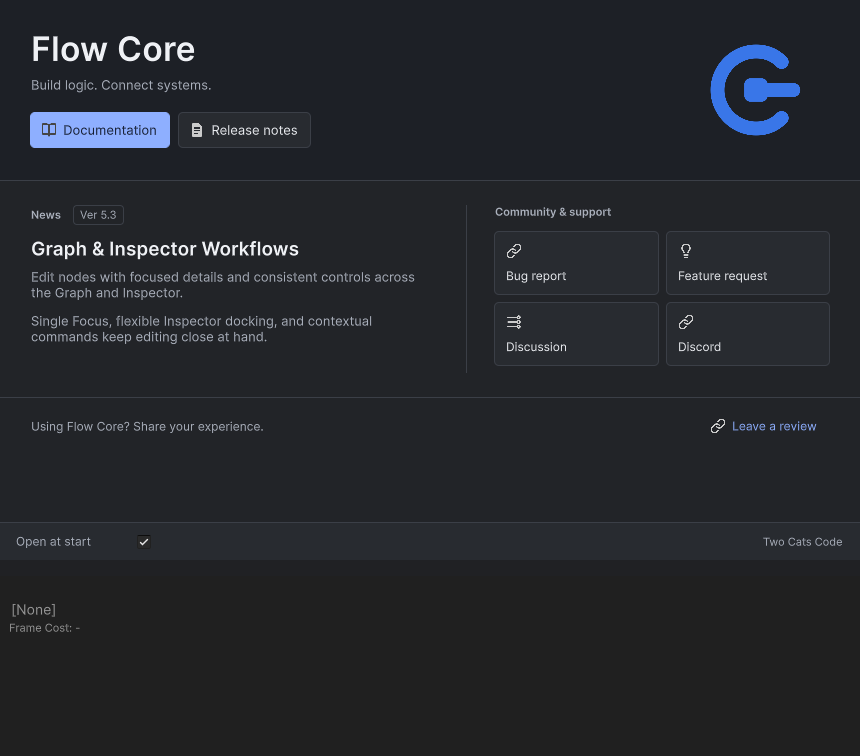
Top: the Opening Screen. Bottom: a native crop of the empty Graph canvas. Open each window through its own Tools > Flow Core menu entry.
Create a disposable graph
- Create a temporary folder in the Project window.
- Use
Create > Flow Core > Flow Graph. - Name the asset
VerificationFlow. - Open the asset in the Flow Graph Editor.
- Right-click an empty area of the canvas and confirm that the node creation menu appears.
You do not need to configure or save a working behavior yet. This check proves that asset creation, graph serialization, the editor window, and node discovery are available.
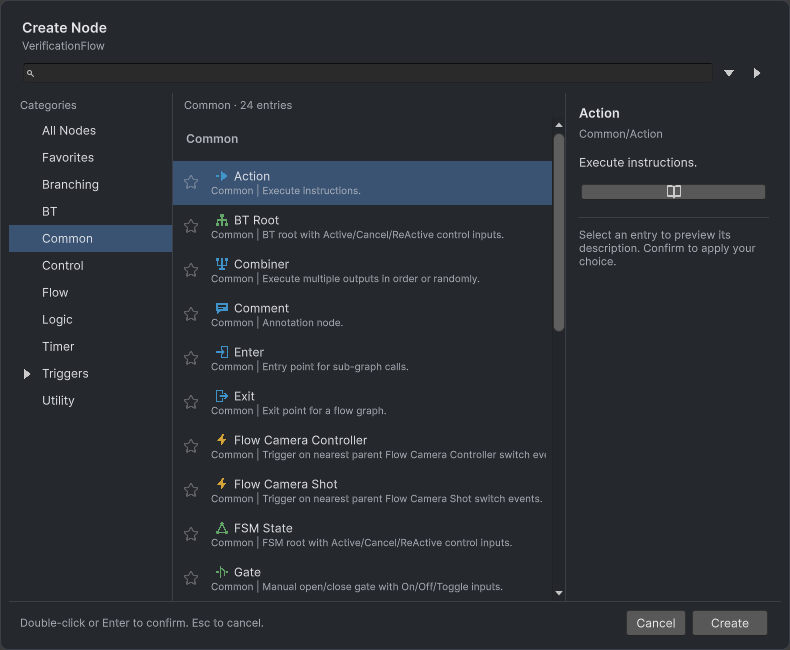
The native picker shows Common nodes and previews Action. Unity event triggers are under Triggers.
When you add a node, select it and confirm its details appear in the built-in Flow Inspector. If the pane is hidden, use Open Flow Inspector or check Personal > Interaction > Show Flow Inspector in Flow Core Settings. The Node Inspector workflow explains selection, pinning, and dedicated editors.
Verify the result
Delete the disposable graph if you do not need it. Then continue with Explore a Working Flow, which uses a supplied scene to show the complete runtime loop.
Common Mistakes
| Symptom | Check |
|---|---|
| Flow Core menus are missing | Wait for compilation to finish, then check the Console for assembly errors. |
| The graph opens but the node menu is empty | Check compiler errors and provider diagnostics; use Validate Available Bindings in Registry Generator. |
| A script type is missing | Confirm the full package was imported and no runtime files were moved into an editor-only assembly. |
| Unity repeatedly recompiles | Resolve project-level compiler errors before testing the package again. |
For independent extensions and startup policies, continue with Automatic Registration & Prewarm. Before an upgrade, review Ver 6.0 for retired generated classes and obsolete files that Unity package import may retain.
What You Built
You established a known-good authoring baseline: Flow Core menus load, a graph asset can be created, the Graph Editor discovers nodes, and the Console remains clear. The disposable VerificationFlow also gives you a safe asset for inspecting editor controls before you work in a production graph.