
Flow Character
Character Control with Flow Character
Create a character that can move, face, enter animation States, play Gestures, and emit Markers.
- Audience
- Gameplay designers and developers
- Time
- 20 minutes
- Requires
- A character model, Animator, and animation clips
- Modules
- Flow Character
On this page
Flow Character provides a configured surface for player and NPC movement, facing, animation layers, and graph-driven character behavior. Start with one character that moves and enters one base State before adding Gestures, Markers, or IK.
Prepare your character assets
The Flow Character module is included in the Asset Store package. Character-related demo scenes and their associated third-party models, animation clips, and audio are excluded because of licensing and source redistribution restrictions. The images and videos on this page show demonstration content that is not supplied as Character example assets in the package.
Play the Online Demo to experience the complete example collection, including the Character and Zombie Walk demonstrations. For this Unity workflow, supply your own appropriately licensed character model, Animator, and animation clips.
Create the character
- Use
GameObject > Flow Core > Flow Playerfor a player-oriented object, orGameObject > Flow Core > Flow NPCfor an NPC-oriented object. - In the Flow Character component, choose Open Full Configuration. Open Animation > Animation Unit > Model References to assign your model and Animator.
- Open Kernel > Motion and review movement speed, rotation, acceleration, deceleration, gravity, jump settings, and permissions in the relevant tabs.
- Confirm the generated hierarchy and component references are valid before configuring animation States and Gestures.
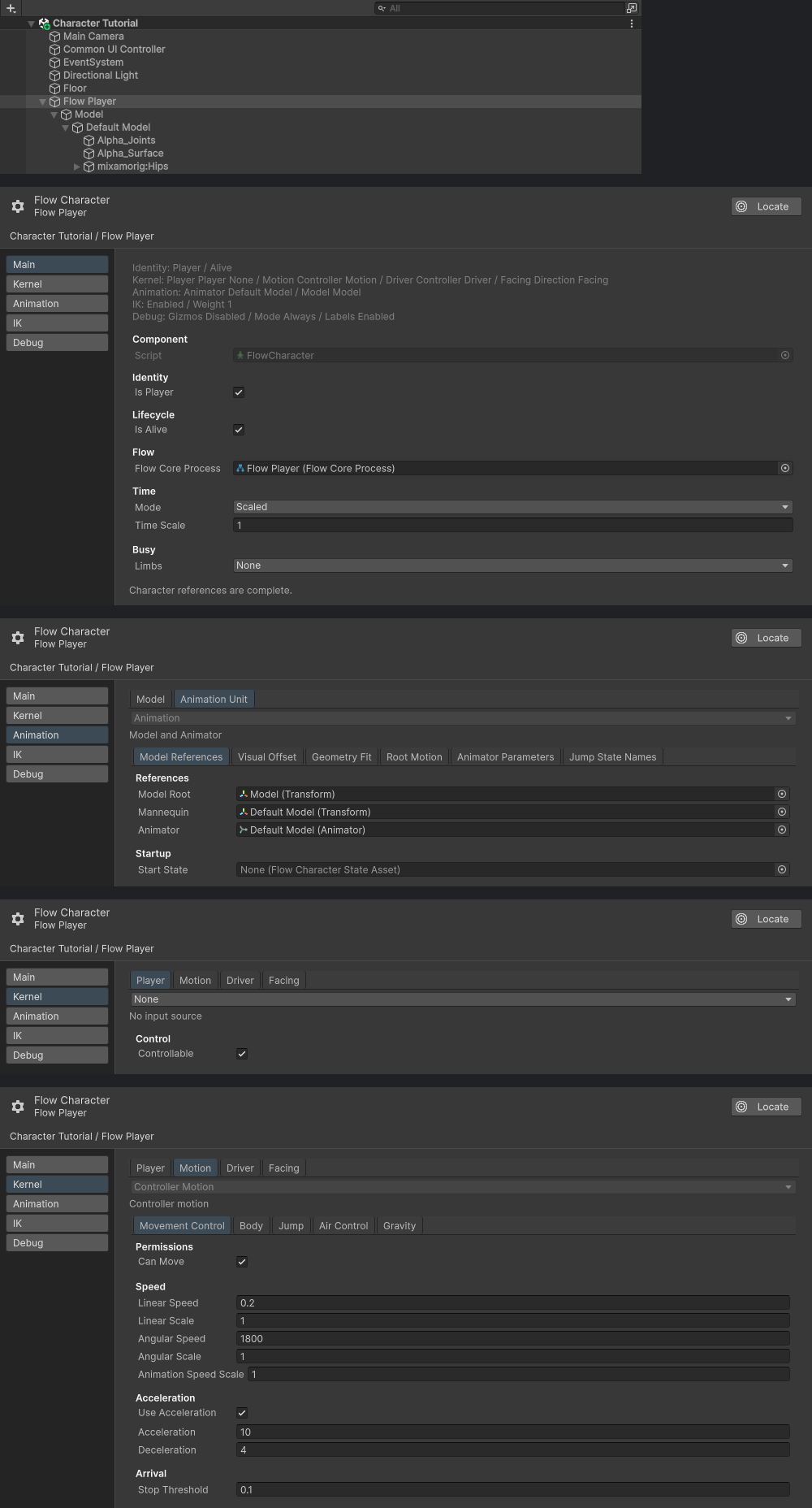
Top to bottom: Hierarchy, Main, Animation Unit Model References, Kernel Player, and Kernel Motion Movement Control. This graph-controlled example uses Player None and Start State None; Character Enter State activates locomotion explicitly.
Add a sustained animation State
Create either:
Flow Core > Character > Locomotion Statefor idle, directional movement, and jump-phase animation; orFlow Core > Character > Clip Statefor one sustained animation clip or pose layer.
Configure the required clips, then use Character Enter State in a graph to make that State active. Movement may be working while animation remains unchanged if no State is active.
Drive visible behavior from a graph
Choose one small behavior:
- Create or reuse a graph bound to the character’s runtime owner.
- Add a Trigger or Entry that you can activate reliably.
- Add
Character Enter Statefor the base animation behavior. - Add a movement Instruction such as
Character Move DirectionorCharacter Move To. - Add facing through
Character Face DirectionorCharacter Face Targetwhen required. - Enter Play Mode and inspect movement, facing, grounding, and active State.
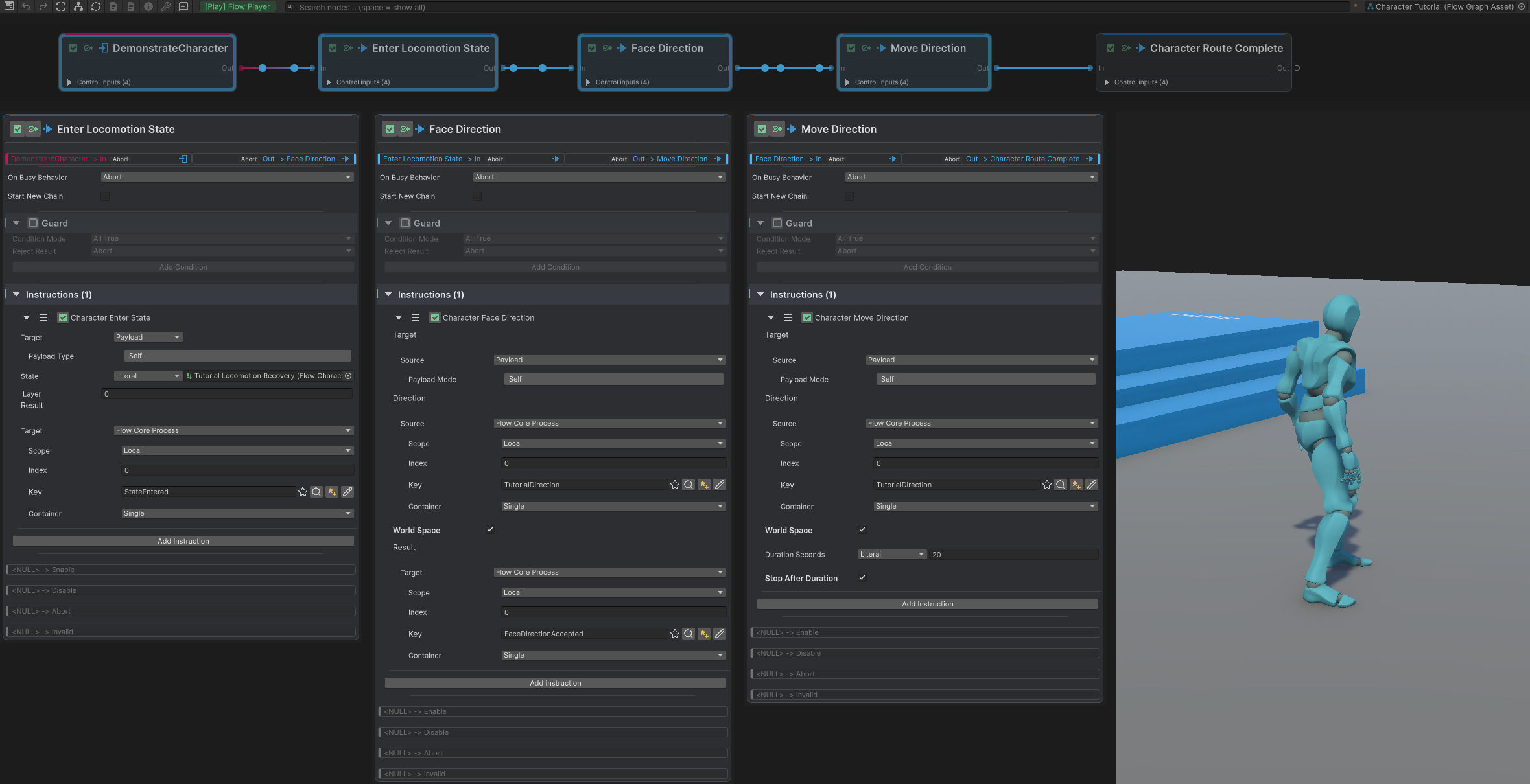
The top Graph captures Move Direction while running. Below, three Edit Mode detail panels show Payload Self targets and the typed configuration; the Game view shows the completed route at a later time. Direction reads TutorialDirection from Local Blackboard 0 in world space, with a 20-second Move duration.
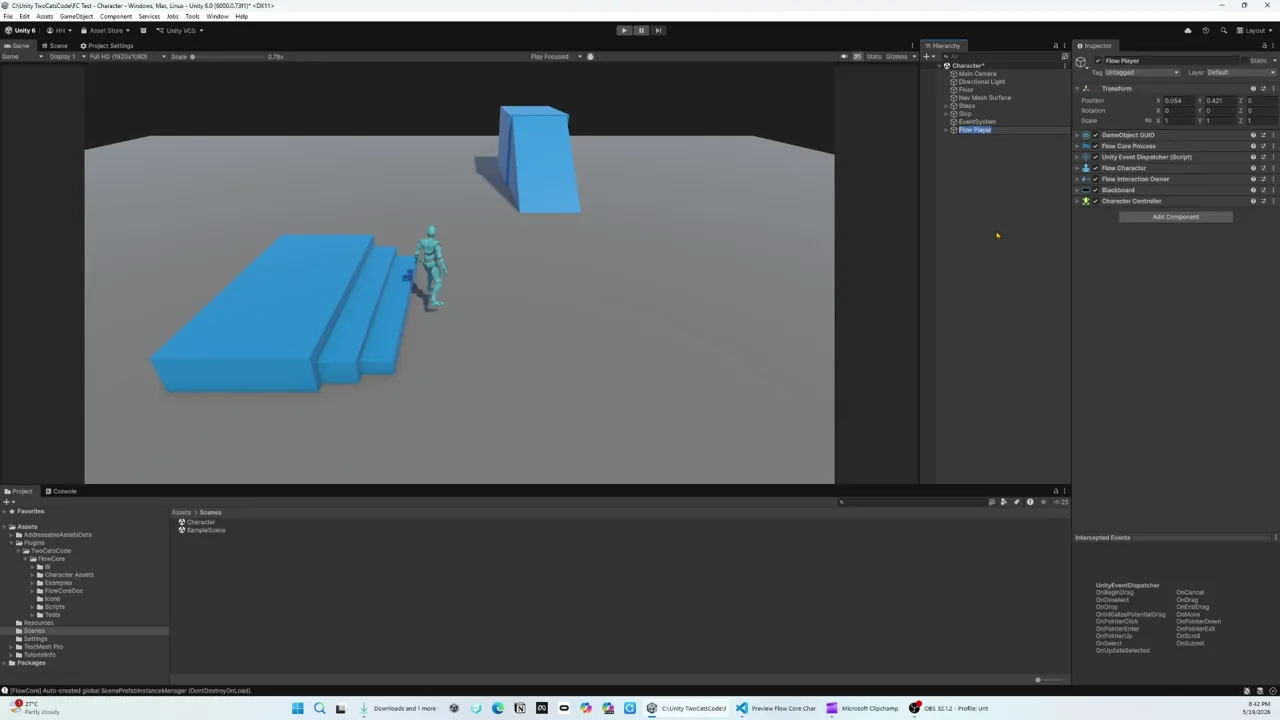 Video · 2:02Flow Character and Flow InteractionSee character behavior and interaction routing cooperate in one observable slice.
Add only the correction layers you need
Flow Character IK is an animation-first correction surface. Establish authored animation before adding LookAt, hands, fingers, side avoidance, or feet plant. Graphs should provide runtime intent such as a target or weight; stable rig calibration belongs in the character setup.
 Video · 0:30Character LookAt IKSee one configured LookAt chain aim toward a runtime target.
Verify the result
Common Mistakes
| Symptom | Check |
|---|---|
| Character Instructions do nothing | Confirm the target resolves to the intended Flow Character. |
| Movement works but animation does not | Confirm a State is active and Animator clips are assigned. |
| Movement is blocked | Check Can Move, Can Jump, and active State or Gesture motor overrides. |
| The model deforms after replacement | Recheck model, Animator, bone chains, axes, and calibration. |
| A graph becomes character-specific unexpectedly | Keep stable configuration on the character and pass runtime intent through typed values. |
What You Built
You created a character runtime, activated animation through a reusable State asset, and used graph Instructions to express movement and facing intent. Continue with States, Gestures & Markers to add bounded actions and animation-timed events.