
Flow Camera
Driving Camera Shots from a Graph
Activate, prioritize, and modify Flow Camera Shots from gameplay logic.
- Audience
- Gameplay and camera developers
- Time
- 12 minutes
- Requires
- A Flow Camera controller and at least two Shots
- Modules
- Flow Camera
On this page
Use Flow Graph Instructions to request camera changes while the Flow Camera controller remains responsible for Channel filtering, priority selection, transitions, and fallback.
Goal
Activate a CloseUp Shot when an event starts, then deactivate it to return to the lower-priority Gameplay Shot.
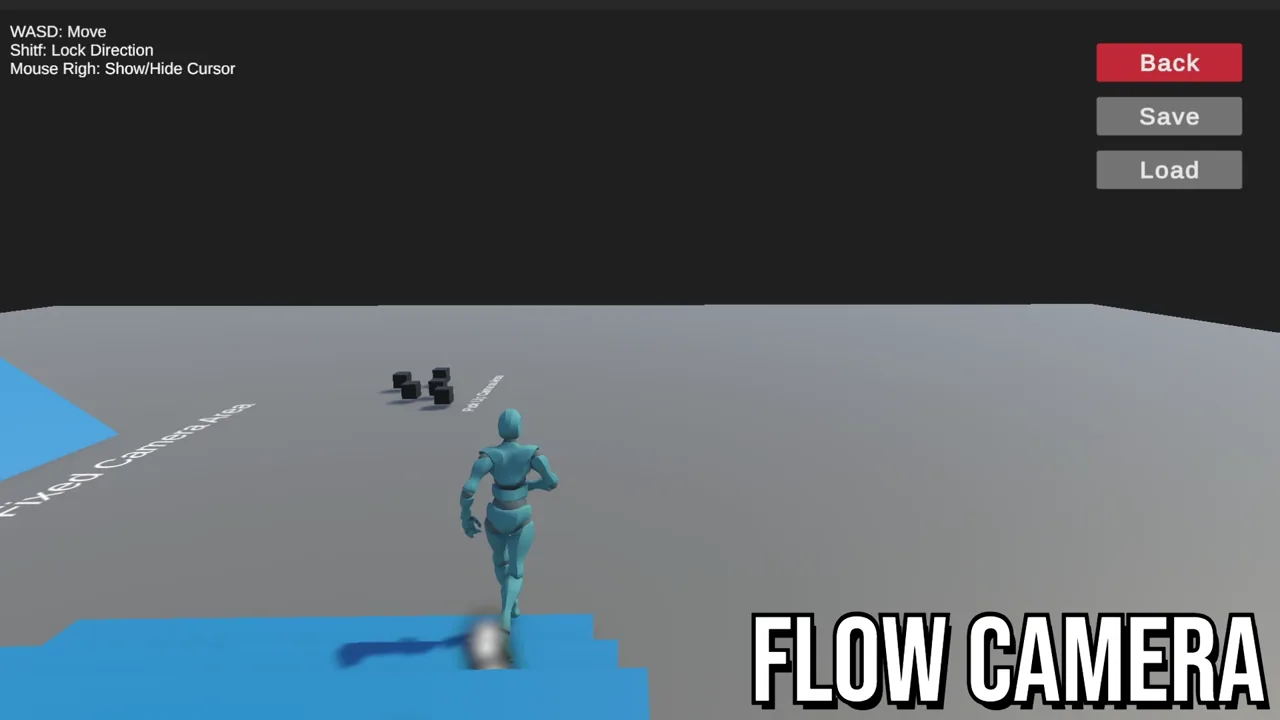 Video · 0:43Flow CameraWatch authored Camera Shots produce a visible camera result in Play Mode.
Prepare the Shots
Confirm both Shots:
- belong to Channel
Main; - have unique Shot Names;
- are registered and configured with valid poses;
- use priorities that express the intended fallback order.
Keep Gameplay activated. CloseUp may begin inactive until the graph requests it.
Use each Shot’s Open Full Configuration button to edit identity and priority in Main, then configure its Pose, Transition, and Lens as needed.
Activate a Shot
- Open the graph that owns the gameplay event.
- Add a reliable Trigger or Entry.
- Add an Action.
- Add
Camera Activate ShotfromCamera/Shot. - Target
CloseUpthrough a direct reference or Channel and Shot Name. - Connect a visible follow-up result if the camera change coordinates with UI, animation, or audio.
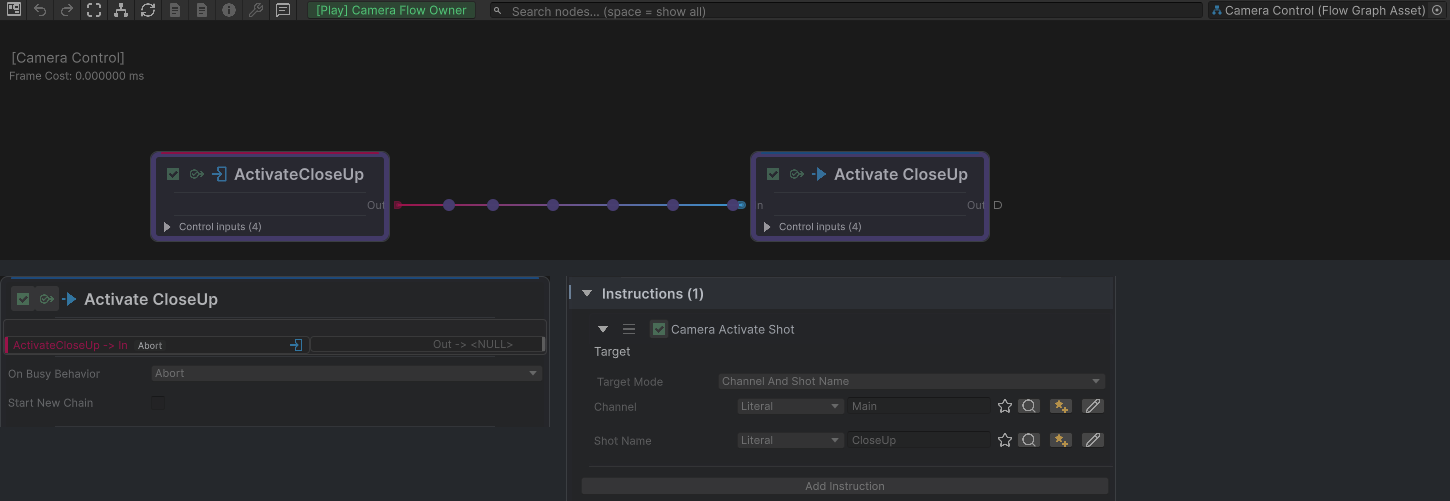
The top runtime Graph shows ActivateCloseUp reaching the Action. The lower native detail crops show the Action identity and its Camera Activate Shot Instruction, using Channel And Shot Name with Main and CloseUp.
Return to the fallback Shot
After the close-up moment completes, run Camera Deactivate Shot for CloseUp. The controller should select the next eligible Shot in Channel Main, which is Gameplay in this setup.
Do not enable and disable Shot GameObjects merely to request ordinary priority changes. Deactivation keeps the component registered while removing it from selection.
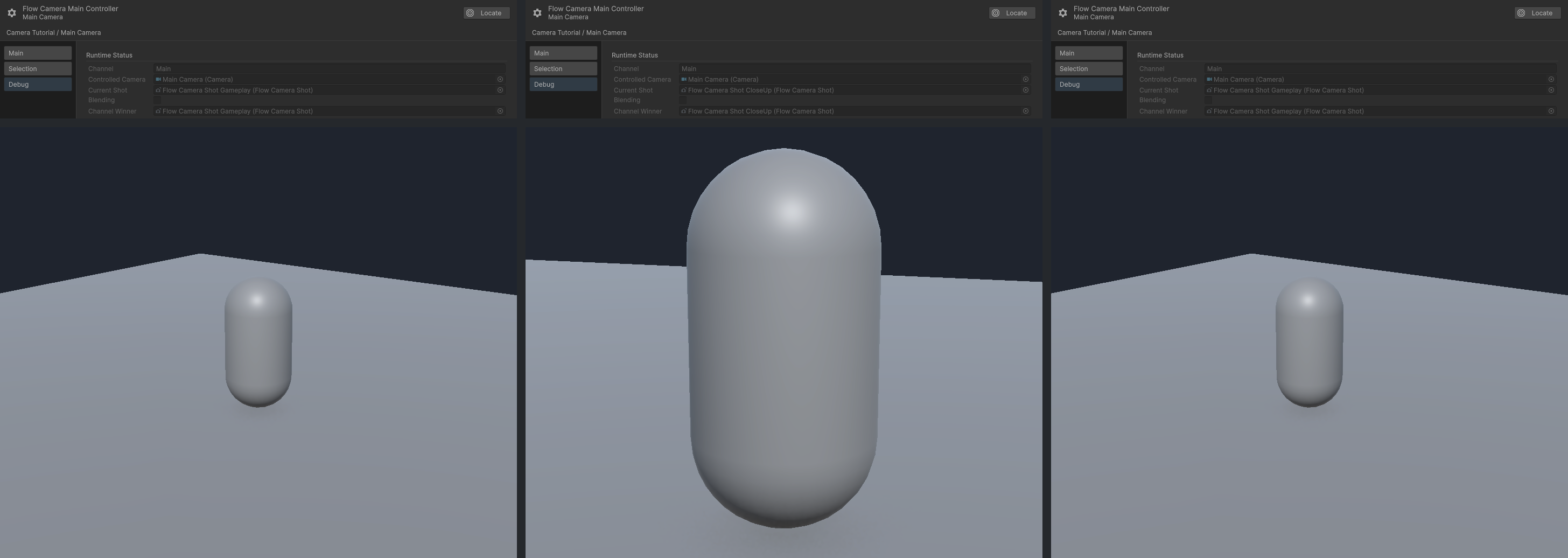
From left to right: Gameplay, CloseUp after activation, and Gameplay after CloseUp is deactivated. Each column combines the corresponding settled controller Debug state and Game view; Current Shot and Channel Winner agree, and Blending is off.
Extend the graph
Related Instructions let gameplay:
- set Shot activation from a Bool;
- change Shot Priority;
- replace Follow, LookAt, or Orbit targets;
- change Shot lens values;
- apply camera shake through a controller;
- select a controller by main controller, reference, or Channel.
Prefer direct references for tightly owned scene behavior. Use Channel and Shot Name when reusable graph logic should select authored identity. Manage personal picker suggestions in Project Settings > Flow Core > Personal > Names & Whitelists. Runtime lookup still depends on the strings serialized in the graph and scene; it does not depend on a teammate having the same suggestion lists.
Verify the result
On the controller, click Open Full Configuration and select Debug to compare Current Shot and Channel Winner with the visible Game view.
Common Mistakes
| Symptom | Check |
|---|---|
| The Shot is not found | Confirm Channel and Shot Name match serialized identity exactly. |
| The Shot activates but does not win | Compare priority with every other activated Shot in the Channel. |
| The wrong camera changes | Check controller target mode and Channel. |
| Fallback leaves no useful view | Keep at least one valid lower-priority gameplay Shot activated. |
| The transition looks like tracking lag | Tune transition separately from Follow and LookAt damping. |
What You Built
You connected gameplay logic to Flow Camera without transferring camera-selection responsibility into the graph. The graph requests CloseUp; the controller filters the Channel, evaluates priority, plays the transition, and restores the Gameplay fallback after deactivation.