
Flow Stats
Run Turn-Based Status Effects
Advance a Manual Status Effect only when gameplay resolves a turn.
- Audience
- Gameplay designers and developers
- Time
- 20 minutes
- Requires
- A FlowStats owner and a turn-resolution action
- Modules
- Flow Stats
On this page
Goal
Use Manual time when an Effect should advance through simulated turns instead of Unity frames. Create a three-turn regeneration Effect and advance it by one simulated second per turn.
Prerequisites
- Import the Flow Core examples.
- Have a turn-resolution action that can run a Flow Instruction or call a runtime method.
- Use a project-owned tutorial folder for the temporary scene and Effect asset.
The supplied 7. Stats scene contains a Scaled Regeneration Effect and no Manual-tick control. Use a duplicated scene and a new tutorial Effect asset for this walkthrough.
What You Will Build
Starting Health after Damage 10: 50 / 100
Turn 1: 51 / 100
Turn 2: 52 / 100
Turn 3: 53 / 100, Effect expires
Steps
1. Create the Manual Effect
- Save a copy of
7. Statsin a project-owned tutorial folder. - Create
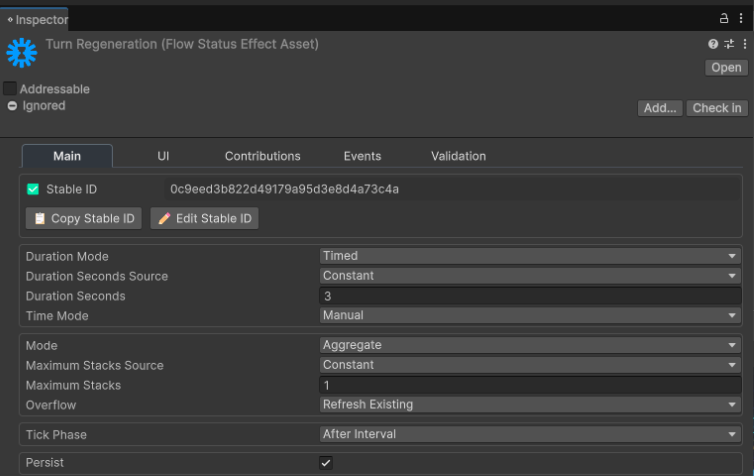
Flow Core > Stats > Status Effectand name itTurn Regeneration. - Choose Open Full Configuration in its Inspector, then configure these fields in Main:
| Field | Value |
|---|---|
| Duration Mode | Timed |
| Duration | 3 |
| Time Mode | Manual |
| Mode | Aggregate |
| Maximum Stacks | 1 |
| Tick Phase | After Interval |
| Persist | On |
Keep the generated Stable ID unique. Do not duplicate another Effect and leave both assets with the same Stable ID. Persist makes the active Effect eligible for Snapshot capture; it does not change Manual ticking.
2. Add one periodic operation
In the same Flow Configuration window, open Contributions and add one entry under Periodic Operations:
| Field | Value |
|---|---|
| Target Resource | Health |
| Operation | Add |
| Value | 1 |
| Interval Seconds | 1 |
| Contribution Mode | Per Stack |
With one active stack, each completed one-second interval restores exactly one Health. After Interval prevents an immediate heal when the Effect is applied.
3. Apply the tutorial Effect
- Select
Standalone Stats Demoin the duplicated scene. - On
FlowStatsExampleController, replace itsRegenerationreference withTurn Regeneration. - Select the assigned Profile, choose Open Full Configuration, and open Effects. Confirm Effect Filter
Mode: None. For a Whitelist, add the Effect underAllowed Effects; for a Blacklist, keep it out ofBlocked Effects. - Enter Play Mode, select
Damage 10once, then selectRegeneration +1once.
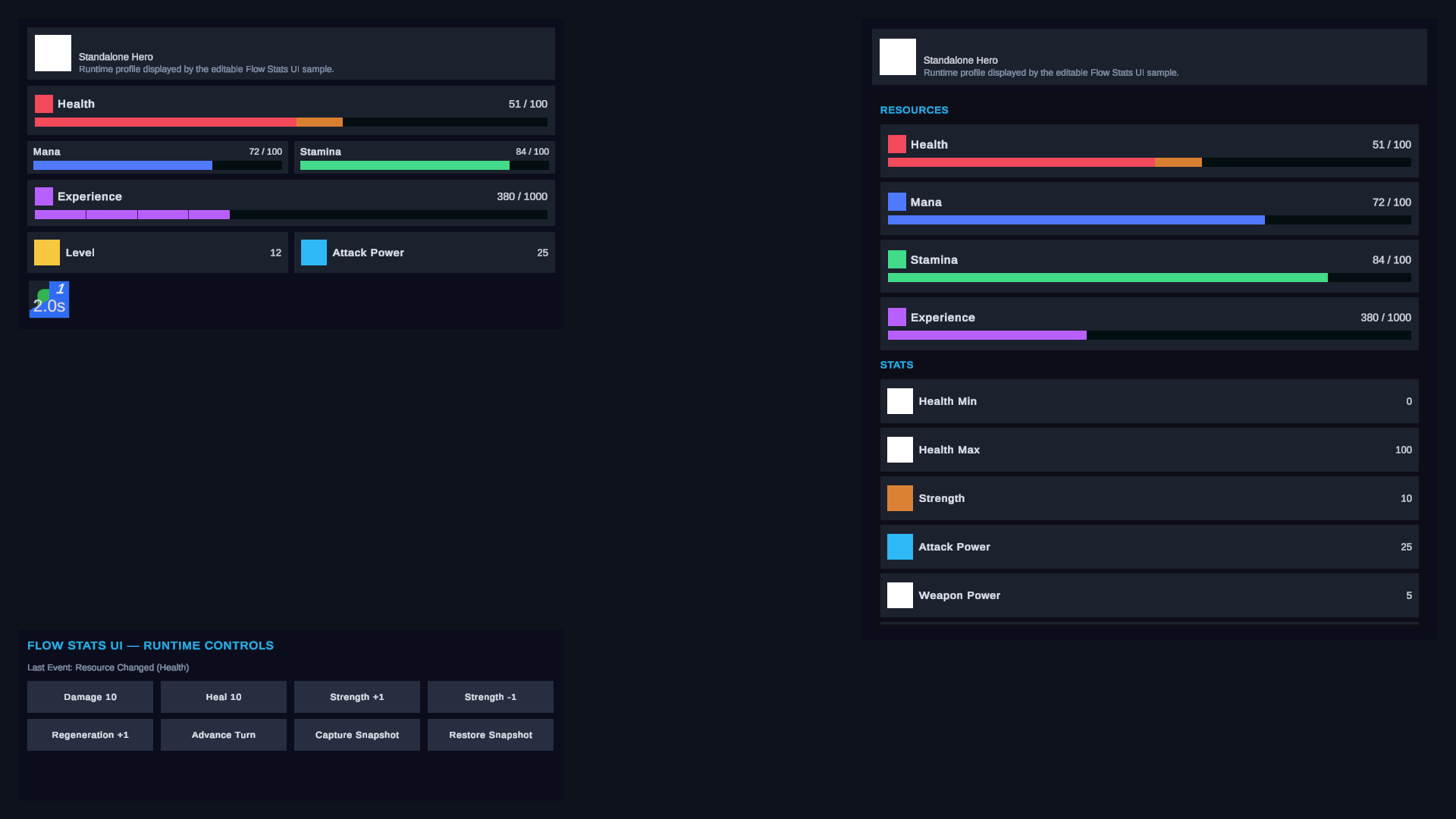
Health now reads 50 / 100, and one Manual Effect is active. Waiting in real time does not advance its native duration or periodic interval.
4. Advance one turn
At the point where one actor finishes a turn, use Stats Tick Manual Effects:
| Field | Value |
|---|---|
| Stats | The actor with Flow Stats |
| Step | 1 |
The equivalent runtime call is:
actorStats.TickManualEffects(1f);Invoke the tick once per resolved turn. Use Stats Tick All Manual Effects only when every active, enabled, and initialized Stats owner shares the same global turn boundary.
Verify the Result
- Wait for several real-time seconds and confirm Health remains
50. - Resolve one Manual step and confirm Health becomes
51. - Resolve a second step and confirm Health becomes
52. - Resolve a third step and confirm Health becomes
53and the Effect exits.
Common Mistakes
| Symptom | Check |
|---|---|
| The Effect advances every frame | Confirm Time Mode is Manual, not Scaled or Unscaled. |
| Applying the Effect heals immediately | Use Tick Phase: After Interval; On Apply intentionally performs the first periodic operation immediately. |
| A turn produces no change | Step must resolve to a finite value greater than zero, and the Effect must already be active. |
| More than one Health is restored | Confirm one active stack and Value: 1; Per Stack scales by the active stack count. |
| A copied Effect behaves like the original | Give every Status Effect a unique Stable ID and apply the intended asset. |
| Other waits still advance | Manual controls native Effect timing only; Flow waits, coroutines, and ordinary Update logic keep their own clocks. |
What You Built
You authored an Effect whose duration, periodic work, continuous work, and expiry advance only through explicit simulated-time steps.